How to use this reference
Write down the security rules that must hold throughout account recovery. Check that recovery does not silently weaken the account’s normal authentication requirements.
Before reading
- Basic authentication and session concepts
Context and limits
- Password reset and multifactor recovery are distinct security decisions.
- During recovery after suspected compromise, changing the password may leave unauthorized access through existing sessions or altered recovery and MFA settings.
- Recovery assurance must rely on independent evidence established previously, rather than recent recovery-setting changes alone. With the verified owner, review recovery contacts and MFA methods and remove unauthorized changes.
- Promptly suspend or invalidate authenticators known to be compromised. Successful recovery must also invalidate existing sessions and unused password-reset or recovery links and codes.
- Do not automatically reinstate replaced recovery contacts; loss or compromise may have prompted their removal.
Related visual models
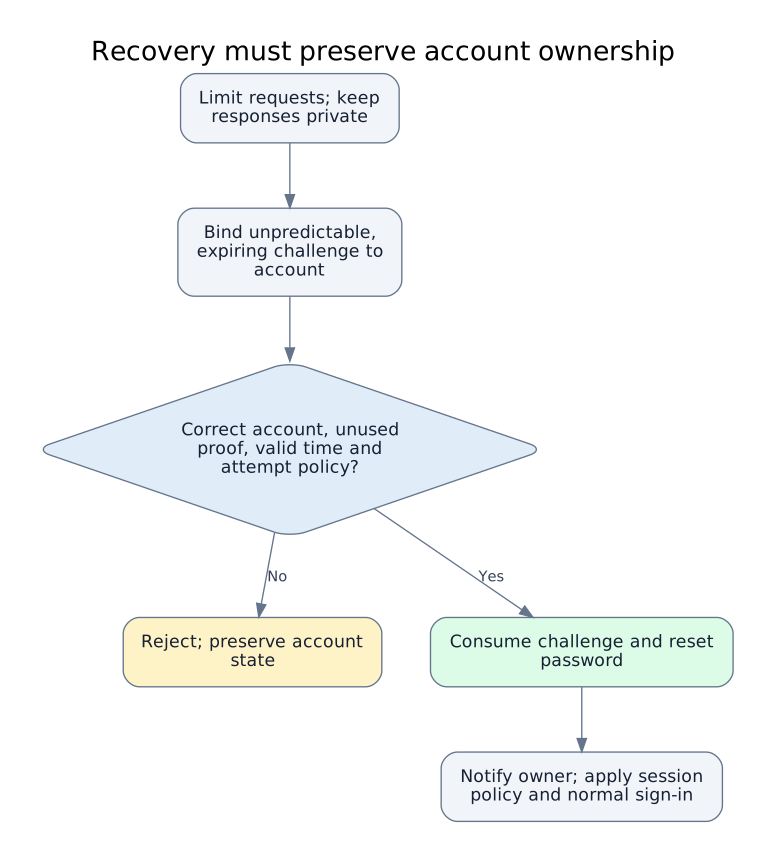
Recovery must preserve account ownership
Editorial conceptual model derived from the linked cases and official guidance; not a vendor architecture diagram or an exploitation sequence.
Reviewed 2026-10-02
Sources
- Forgot Password Cheat SheetOWASP Cheat Sheet Series · reviewed 2026-10-02
- Forgot Password Cheat Sheet: Account Recovery After Suspected CompromiseOWASP Cheat Sheet Series · reviewed 2026-10-07
Record reviewed 2026-10-07. Snapshot af2809c308fc. Open the complete JSON contract.